

Synfone for HomeWell
It isn’t just another option, Synfone is the right fit for your HomeWell office.
Synfone for HomeWell is built with your needs in mind. We’ve worked closely with agency owners to understand the unique challenges of in-home care and provide a customized solution that fits your business. Plus, our expert support team knows the industry and is here to help you implement the right features to keep your operations running smoothly.

Better than easy, we’ll do it for you
Some providers hand you manuals, tutorials, and self-service portals—leaving you to figure it all out. We do it differently. With Synfone, your phone system is fully managed for you. Need a quick voicemail PIN reset or a complete call flow adjustment? Just tell our support team, and we’ll handle it. No hassle, no guesswork—just seamless service.
You focus on providing an excellent quality of care for your clients and we’ll take care of providing an excellent communication platform for you!
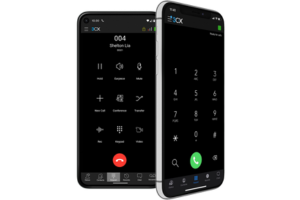
Your phone service is accessible via desk phone, computer, and mobile app
Included Features
Nationwide Calling
Make calls anywhere in the U.S. with no surprise long-distance charges.
International calling is available upon request for an additional fee.
Text Messaging
Send and receive text messages using your office number. Messages can be handled by an individual or a group.
10DLC registration is required (Synfone will assist with the process), which typically takes 10–14 days for approval.
Voicemail with Email Notifications
Get notified by email when you receive a voicemail. Optionally, include the audio recording as an attachment (may not be HIPAA compliant).
Time-Based Routing
Automatically adjust call handling based on time of day, holidays, or employee working hours.
Queues/Ring Groups
Direct calls to individuals or teams. Choose from different ring strategies, including sequential, round-robin, or simultaneous ringing.
Call Forwarding
Easily forward calls to an external answering service or another number. Get detailed reports tracking forwarded call volume and talk time.
Web Meetings
Host online meetings with up to 25 participants. Schedule in advance or start an instant meeting using your personal meeting link.
Department/Role Specific Phone Numbers
Assign unique phone numbers for departments or specific roles. For example, provide a direct line for existing clients to bypass the main menu and reach scheduling directly.
Each user or department can have up to one additional local number.
Office-wide Contacts
Maintain a unified contact list with caregivers and clients’ phone numbers, making it easy to recognize incoming calls and dial contacts without searching in another system.
Call Recording
Record calls on demand with a single button press or enable automatic call recording.
Clients are responsible for ensuring compliance with applicable laws and regulations.
Example Call Routing
During Business Hours (7 AM – 6 PM)
? Calls first ring to two desk phones in the office.
If unanswered, callers hear:
“Thank you for calling HomeWell. If you’d like to learn more about our services, press 1. If you’re an existing client, press 2. If you’re a caregiver, press 3. All other callers, please press 0.”
Call Routing:
- Press 1 → Tagged as “Sales” → Rings Users 1, 2, & 3
- Press 2 → Tagged as “Client” → Rings Users 2 & 3
- Press 3 → Tagged as “Caregiver” → Rings User 4 → If unanswered, rings Users 2 & 3
- Press 0 → Tagged as “Other” → Rings all users
Outside Business Hours
? After-hours message plays:
“Thank you for calling HomeWell. You have reached us outside of our office hours which are 7 AM – 6 PM, Monday through Saturday. If you would like to leave a message, press 1 or stay on the line. If you’re an existing client needing assistance, press 2. If you’re a caregiver needing assistance, press 3.”
Call Routing:
- Press 1 (or no key press) → Voicemail ?
- Press 2 or 3 → On-call user ?


Plans
- Standard Plan
- $99/month
- Designed for new offices and small offices with limited in-office staff up to 4 users.
- Advanced Plan
- $149/month
- Designed for busy offices with more complex needs and bigger teams with up to 10 users.
There is a 1-time $50 activation fee per account which includes up to 2 submissions of your 10DLC (business text messaging) campaign registration.
Have more than 10 office staff or unique needs that don’t fit these plans? No problem! Tell us what you need, and we’ll create a customized solution tailored to your business.
Optional Add-ons
- eFax
- $10/month
- Send and receive faxes using a designated fax number via email or secure online portal.
- AI Assisted Voicemail Transcription
- $10/month
- Receive a text-based copy of your voicemail messages transcribed with the power of AI.
- AI Call Transcription with Summary
- $40/month
- Receive a transcription of your calls along with a brief summary powered by AI.
Desk Phones (optional)
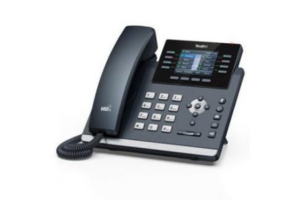
While some clients are comfortable managing all of their office calls using the mobile app, others prefer to use physical desk phones. While using a desk phone is optional, it adds the convenience of an “always on” device dedicated to receiving calls. The 1-touch keys make it simple to reach other system users and to transfer calls as well.
The desk phones shown below are our most popular options, but other models are also available. Pricing includes the phone, power adapter, programming, and shipping. No contract required.
- Yealink T43U
- $149
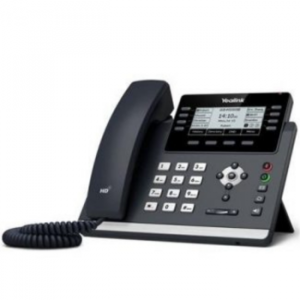
- Basic Phone
- 3.7” Graphical Screen
- 8 1-Touch Keys
- Yealink T44W
- $159
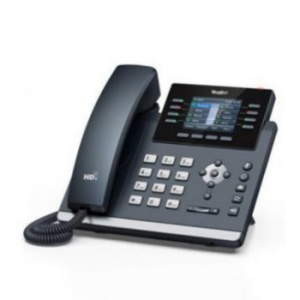
- Feature-rich Phone
- 2.8” Color Screen
- 8 1-Touch Keys
- Bluetooth & Wi-Fi
- Yealink AX83H
- $129
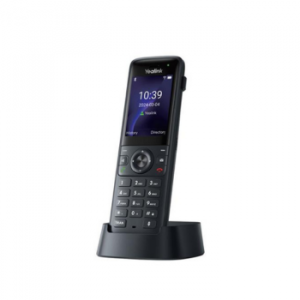
- Cordless Wi-Fi Phone
- 2.4” Color Screen
- Up to 9 hours of talk time (in ideal conditions)
- Up to 200 hours of standby time (in ideal conditions)
Click Here To Learn More About Synfone and HIPAA Compliance
HIPAA Compliance at Synfone
Helping You Communicate Securely and Confidently
At Synfone, we understand that healthcare providers and their partners have unique responsibilities when it comes to protecting patient information. If your organization is subject to HIPAA, you’re likely wondering: Is Synfone HIPAA compliant?
The short answer is: Yes — Synfone can be used in a HIPAA-compliant way when configured and used appropriately. This page explains how we support your compliance efforts and what you should know when using our service in a healthcare setting.
? Security First: How Synfone Protects Your Data
We’ve built our system with privacy and security at the core. Here’s how we help keep your data protected:
- Encrypted Communication
Calls, voicemails, and messages are encrypted during transmission and at rest using industry-standard protocols. - Individual User Access
Each user has their own unique credentials to log in and access data. No shared logins — ever. - Remote Access Management
Need to remove access for a former employee? Admins can immediately revoke user credentials to prevent unauthorized access. - Audit Logging
We keep detailed logs of user activity within the system, so you can review who accessed what and when — an important part of HIPAA’s audit control requirement.
? Messaging and Voicemail: What’s HIPAA-Safe
- Secure Internal Messaging
Synfone supports secure messaging between users on the same system — ideal for inter-office communication. This is not standard SMS and should not be confused with text messaging over cell networks. - Voicemail Delivery Options
By default, voicemail messages are stored securely within your Synfone portal. For clients who require HIPAA compliance, we do not send voicemail as audio file attachments via email. Instead, you can log in securely to listen.
?️ Call Recording (Optional)
Synfone does not record calls by default, but call recording can be enabled upon request. If you choose to enable this feature, we’ll help ensure those recordings are securely stored and only accessible to authorized users.
?️ Data Retention and Deletion
We retain voicemails and text messages for 180 days by default. If your compliance policy requires a shorter retention window, we’re happy to work with you — just let us know.
Need something deleted for compliance reasons? Simply submit a request, and we’ll take care of it promptly.
? Business Associate Agreements (BAAs)
If your organization handles Protected Health Information (PHI), HIPAA requires that you have a Business Associate Agreement in place with vendors like us.
Synfone provides a signed BAA upon request. Just contact our support team, and we’ll walk you through it.
? Final Note
HIPAA compliance isn’t just about the technology — it’s also about how it’s used. Synfone gives you the tools you need to support secure communication, but it’s important that your team follows best practices and configures the system correctly.
Using Synfone with a system configured for HIPAA compliance is opt-in only. Synfone systems are not deployed in a HIPAA compliant manner unless specifically requested during sign-up.
If you’re unsure whether your current setup meets HIPAA requirements or if you would like to opt-in to have your system configured in a HIPAA compliant fashion, we’re happy to help. Just reach out to Synfone Support.